 EarnSmart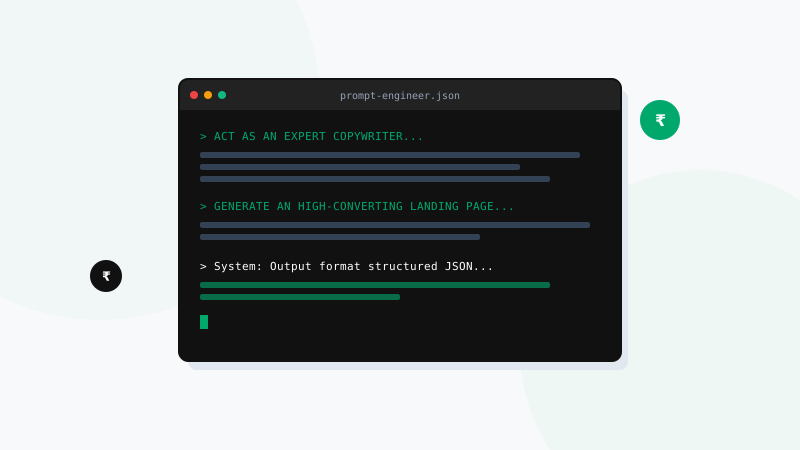
Generative AI language engines like ChatGPT, Claude, and Gemini have revolutionized the freelancing landscape. They act as tireless, 24/7 personal assistants capable of researching complex topics, brainstorming campaign ideas, structuring long documents, and drafting code. However, there is a massive gap in how freelancers utilize these systems. The difference between a struggling freelancer receiving generic, uninspired drafts and a highly productive expert receiving stellar outputs comes down to one core skill: prompt engineering.
If you feed the AI simple, low-effort prompts like "write a blog post about marketing," it will spit out a generic, dry article that reads like a textbook summary. But if you construct prompts that define a specific professional role, establish client context, identify target audience personas, and set strict formatting constraints, the AI output becomes exceptionally valuable. In this guide, we provide 10 copy-paste prompt templates designed specifically to save you hours of work and elevate your freelance workflow.
The Anatomy of a Perfect Prompt
For the best results, structure your custom prompts using these four pillars:
1. Role: Tell the AI who it is (e.g., "Act as a senior copywriter").
2. Context: Explain the background (e.g., "I am writing a sales email for a budget gym in Noida").
3. Task: Define the goal (e.g., "Draft a 150-word email").
4. Constraints: Set limits (e.g., "Use active voice, no jargon, write in short paragraphs").
1. The SEO Blog Title Generator
Create highly clickable, keyword-optimized headlines that attract search traffic and encourage user clicks.
"Act as a professional SEO strategist and copywriter. I am writing a blog post about [Niche/Topic, e.g., credit card rewards]. Generate 10 distinct, eye-catching blog post titles. Five should be listicles, three should be how-to style, and two should be curiosity-driven. Ensure they incorporate the primary keyword '[Keyword]', are under 60 characters for search listings, and appeal directly to [Target Audience, e.g., salaried professionals in India]."
2. Semantic Heading Outline Creator
Before writing, map out a logical heading structure that search engine web crawlers and readers can follow easily.
"Act as an expert SEO editor. I need to write an in-depth article on '[Article Topic]'. Generate a detailed, logical heading outline using H2 and H3 heading tags. The outline must be structured to answer the primary intent of searchers. Include sections for a hook-driven introduction, core practical steps, local Indian case studies or examples, and a strong conclusion. Do not draft the article content yet; output only the outline structure."
3. Conversational Cold Pitch Email
Draft non-spammy outreach templates to offer your services to potential local clients.
"Act as a freelance [Job Title, e.g., web developer]. Draft a warm, conversational, non-spammy cold email pitching my services to a local Indian [Business Type, e.g., boutique cafe] owner. Focus on how I can solve a specific business problem, namely [Specific Pain Point, e.g., building a fast online menu that loads on mobile]. Keep the draft under 150 words, use an approachable tone, and end with a direct call-to-action for a 5-minute phone call."
4. The Style-Match & AI-Cleanup Editor
Strip out robotic AI vocabulary and rephrase sentences to sound completely natural and human.
"Act as a professional developmental editor. Rewrite the following text to match an engaging, conversational, yet authoritative tone. Strip out empty transition words (such as furthermore, delve, tapestry, testament, unlock, and in conclusion). Use active voice, vary the length of the sentences to create rhythm, and format it for high legibility. Text to edit: [Paste text here]."
5. Vertical Video Script Outliner (Reels/Shorts)
Structure scripts for vertical short-form videos, ensuring a fast hook and clear visual cues.
"Act as a social media video producer. Write a 60-second video script for Instagram Reels/YouTube Shorts about '[Topic, e.g., how to save tax under Section 80C]'. Include a strong visual hook in the first 3 seconds, 3 quick value points, and a clear call-to-action to follow the profile. Format as a table with columns for 'Visual/Action Cue' and 'Dialogue (Spoken)'."
6. Social Media Caption Multiplier
Repurpose a single block of text into distinct updates customized for different social media algorithms.
"Repurpose the following paragraph into 3 distinct social media posts: 1 for LinkedIn (professional, detailed, focus on business value), 1 for Twitter/X (a brief, punchy hook followed by a short thread of 3 points), and 1 for Instagram (highly conversational, using line breaks and relevant emojis). Text: [Paste text here]."
7. Client Proposal FAQ Generator
Anticipate client objections and prepare professional, reassuring responses to win contracts.
"Act as a freelance business consultant. I am pitching a [Service Package, e.g., monthly social media design bundle] to a client. List the top 5 common objections or questions they might have about budget, turnaround times, or revision scopes, and draft professional, reassuring answers for each that demonstrate value."
8. Code Troubleshooting & Bug Fixer
Quickly identify bugs in front-end HTML/CSS/JS or backend scripts and get clean solutions.
"Act as a senior software engineer. Review the following code snippet, identify any syntax errors, layout responsiveness issues, or logic bugs, explain why the issue occurs in simple terms, and output the corrected code block. Code: [Paste code snippet here]."
9. Regional Language Translation & Tone Localization
Translate copy into regional Indian languages while preserving the local flavor and avoiding dictionary translations.
"Act as a localization expert. Translate the following English marketing copy into natural, conversational [Regional Language, e.g., Hindi/Tamil]. The translation must not sound like a literal dictionary translation. Rewrite it using colloquial phrasing that an average consumer in [City, e.g., Mumbai/Chennai] speaks in daily life. Maintain the original selling intent. Text: [Paste text here]."
10. The High-Converting Product Description
Draft product copy that highlights benefits over specifications to drive e-commerce sales.
"Act as a conversion copywriter. Write an e-commerce product description for [Product Name]. The product solves [Problem, e.g., neck pain while working from home]. Focus on customer benefits over technical specs, write an engaging hook, include a bulleted list of features for scannability, and end with a strong call-to-action to buy now."
Comparing AI LLM Strengths by Task
| AI Tool | Best Suited For | Weakness | Free Access Option |
|---|---|---|---|
| ChatGPT (OpenAI) | Outline generation, social media captions, quick ideas | Can sound generic and repetitive without strict constraints | Yes (GPT-4o mini) |
| Claude (Anthropic) | Long-form copy, natural human voice, creative writing | Low message usage limits on the free tier | Yes (Claude Sonnet 3.5) |
| Gemini (Google) | Live web research, local information, coding support | Can occasionally drift from detailed stylistic parameters | Yes (Gemini Flash/Pro) |
Frequently Asked Questions (FAQs)
Q1: Are AI-generated prompt results copyrighted, or can I use them commercially?
Current legal frameworks in most countries, including India, state that pure AI-generated outputs cannot be copyrighted because they lack human authorship. However, you can use these outputs commercially for client projects without legal issues, provided they do not infringe on existing trademarks. To protect your work and add value, you should always edit and customize the output before delivering it to a client.
Q2: Should I pay for premium AI tiers (like ChatGPT Plus or Claude Pro) as a beginner?
No, it is not necessary when starting out. The free tiers of ChatGPT, Claude, and Gemini are highly advanced and more than sufficient to handle outlines, short copy, and code adjustments. Once you land regular clients and are earning a steady income, you can reinvest in a premium subscription to gain access to faster processing speeds, custom models, and higher usage limits.
Q3: How do I prevent ChatGPT from generating robotic transitions and clichés?
The best way to prevent robotic text is to include negative constraints in your prompt. Add instructions like: "Do not use transition words like furthermore, delve, tapestry, or in conclusion. Avoid using formal passive phrasing. Write as if you are explaining the topic to a colleague over coffee."
Conclusion
AI tools are only as effective as the instructions you give them. By shifting from simple queries to structured, context-rich prompting, you can unlock professional-grade drafting, coding, and pitching capabilities. Treat these prompts as blueprints. Customize them with your specific client guidelines, add your personal human touch to the outputs, and watch your freelance productivity soar!